ESA & Funding
Does Arizona ESA Cover Typing Classes? Yes, Here's How (2026)
Yes, Arizona ESA covers typing and keyboarding instruction. What qualifies, how ClassWallet payment works, 2026 costs, and free and ESA-eligible typing options.
5 min read · Updated

Typing Scripture
AZ
Sponsor. ESA-eligible typing and keyboarding instruction for Arizona homeschool families.
Relevant Arizona programs
Directory listings that match this guide. Tap a card to call, email, or visit the program's site.
Yes. Arizona ESA covers typing and keyboarding instruction. Keyboarding qualifies under the ESA's curriculum and tutoring categories because it is academic skill instruction for your student. Families pay for typing tutors, keyboarding classes, and typing curriculum through ClassWallet, usually with zero out of pocket.
This guide covers what qualifies, how to document it, and free and paid ways Arizona homeschoolers teach typing. The typing and keyboarding programs listed above serve Arizona families.
What ESA Covers for Typing and Keyboarding
Typing instruction passes the standard ESA test: it is educational, for the student, and documented. In practice that means:
- Typing tutors and keyboarding classes are covered under tutoring and teaching services. Individual tutors need at least a high school diploma; tutoring businesses need accreditation or a signed instructor attestation.
- Typing curriculum and software are covered as curriculum purchases. Paid typing programs, keyboarding workbooks, and structured typing courses with a clear academic scope all qualify.
- Online typing courses count. There is no in-person requirement, so a self-paced online keyboarding course is just as eligible as a local class.
- A computer for typing practice can be covered as educational technology when it is tied to the student's learning plan. See Arizona ESA and technology before buying a device.
What does not qualify: paying yourself or an immediate family member to teach typing, and general entertainment software with no academic content.
A Free Option That Works With Any ESA Plan
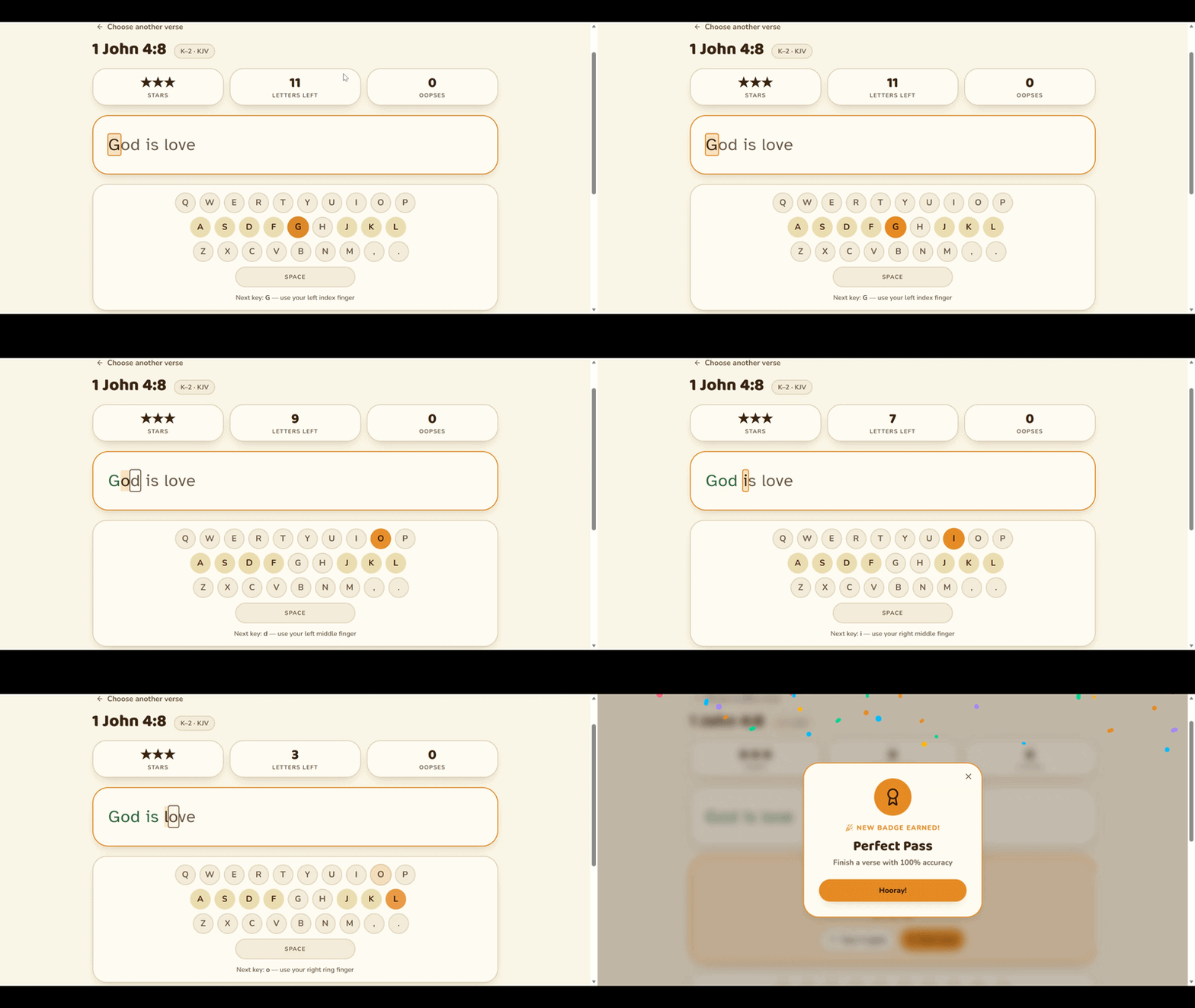
Before you spend ESA dollars, know that solid typing instruction can be free. Our own free Bible typing lessons for kids teach keyboarding by having children type Scripture, prayers, and Bible stories, with three difficulty levels, words-per-minute and accuracy tracking, and no sign-up. Many Christian homeschool families pair a free tool like this with an ESA-funded tutor or structured keyboarding curriculum.
Typing Scripture, the sponsor of this guide, offers ESA-eligible typing instruction for Arizona families. You will find their listing at the top of this page.
How to Pay for Typing Instruction With ESA
All ESA money moves through ClassWallet. Two paths:
Direct pay. If your typing tutor or program is a registered ClassWallet vendor, request payment in the portal and ClassWallet pays them directly. This is the cleanest route.
Reimbursement. Pay out of pocket, then submit an itemized receipt or invoice showing the vendor name, student name, dates of service or purchase date, a description ("keyboarding instruction" or "typing curriculum"), and the amount. Generic receipts are the most common reason reimbursements get delayed. See ClassWallet direct pay vs. reimbursement for the full workflow.
What Typing Instruction Costs in Arizona
| Type of typing instruction | Typical cost |
|---|---|
| Free typing tools and apps | $0 |
| Self-paced typing curriculum or software | $20 to $120 per year |
| Group keyboarding class | $15 to $40 per session |
| Private typing tutor | $35 to $60 per hour |
A standard ESA award of roughly $6,500 to $7,500 per year covers any of these comfortably. See ESA funding amounts for your child's award tier.
Why Keyboarding Belongs in a Homeschool Plan
Typing is no longer an elective skill. By late elementary, students write paragraphs, take online assessments, and eventually sit for typed standardized tests and dual-enrollment coursework. A child who types 25 to 35 words per minute writes more, revises more, and spends class time on ideas instead of hunting for keys. Ten to fifteen minutes of daily practice in grades 2 through 5 is usually enough to build fluent keyboarding before middle school.
Frequently Asked Questions
Does Arizona ESA cover typing classes?
Yes. Typing and keyboarding classes qualify as tutoring and teaching services, and typing curriculum qualifies as a curriculum purchase. Both are paid through ClassWallet.
Does ESA cover typing software and apps?
Yes, when the software is primarily educational and used as the student's typing curriculum. Save the receipt and a screenshot of the course description with your documentation.
Can I use ESA to buy a laptop for typing practice?
Possibly. Computers can be covered as educational technology when tied to the student's learning plan, but device purchases get extra review. Read Arizona ESA and technology first and keep the purchase clearly academic.
Does ESA cover online typing courses?
Yes. There is no in-person requirement. Self-paced online keyboarding courses and live online typing instruction are both eligible.
Can I pay a family member to teach my child typing?
No. ESA funds cannot pay the student's parent or immediate family members for tutoring or teaching services.
Do I need a diagnosis or IEP for ESA to cover typing instruction?
No. Keyboarding is an approved academic skill for any ESA student. No diagnosis, IEP, or special category is required.
Related Guides
Frequently Asked Questions
Does Arizona ESA cover typing classes?▼
Does ESA cover typing software and apps?▼
Can I use ESA to buy a laptop for typing practice?▼
Does ESA cover online typing courses?▼
Can I pay a family member to teach my child typing?▼
Do I need a diagnosis or IEP for ESA to cover typing instruction?▼
Still have ESA questions?
Ask the Arizona ESA Assistant - a chat grounded in ADE policy, ClassWallet rules, and Arizona homeschool law. Try one of these, or type your own.
- Can I use ESA funds for Bible curriculum in Arizona?
- How long does ClassWallet reimbursement take?
- Do I need a curriculum to buy school supplies with ESA?
- What documents do I need for a ClassWallet reimbursement?
Not legal, tax, or financial advice. Always confirm current rules with the Arizona Department of Education.
Part of the ESA & funding hub
Arizona ESA Guide
How Empowerment Scholarship Accounts work, what they pay for, and how to apply through ClassWallet.
More from the ESA & funding hub
- Arizona ESA Guide (2026): Eligibility, Funds, and How to Apply
Arizona ESA in 2026: every K-12 student qualifies, ~$7,000-$8,000/year for curriculum, tutoring, microschool, hybrid, online, and more. Eligibility, funds, how to apply.
- Arizona ESA-Approved Bible Curriculum: 2026 Family Guide
Use Arizona ESA funds for Bible-based homeschool curriculum. How approval works, which Christian publishers qualify, and how to buy through ClassWallet in 2026.
- Do You Get Paid to Homeschool in Arizona? (2026)
Yes, sort of: Arizona's ESA gives most families ~$7,000-$8,000 per child per year for curriculum, tutors, and tuition. How the money works, what it buys, and the trade-off.
- Christian Homeschool Sports in Mesa & the East Valley (2026 Guide)
Christian homeschool sports and athletics in Mesa, Gilbert, and Chandler - homeschool league teams, martial arts, gymnastics, baseball, swim, and training, plus how Arizona ESA pays for them.
This guide is general information, not legal, tax, or financial advice. Confirm current rules with the Arizona Department of Education before acting.